Sus Party · Free browser game
Play Among Us in real life with Sus Party
Someone heads to the kitchen for a task. Someone follows them a little too closely. A meeting starts, and suddenly everyone has an alibi. Sus Party is the free Among Us IRL game, played in the phone browser with nothing to install, that turns your rooms into the map and your friends into the suspects. It works for 3 players or 20+: a family night, a birthday, a class, or a whole youth group.
What a round looks like
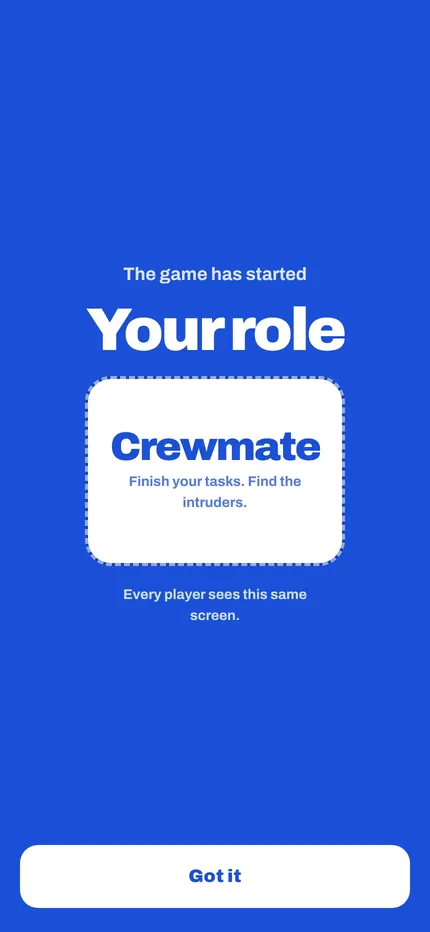
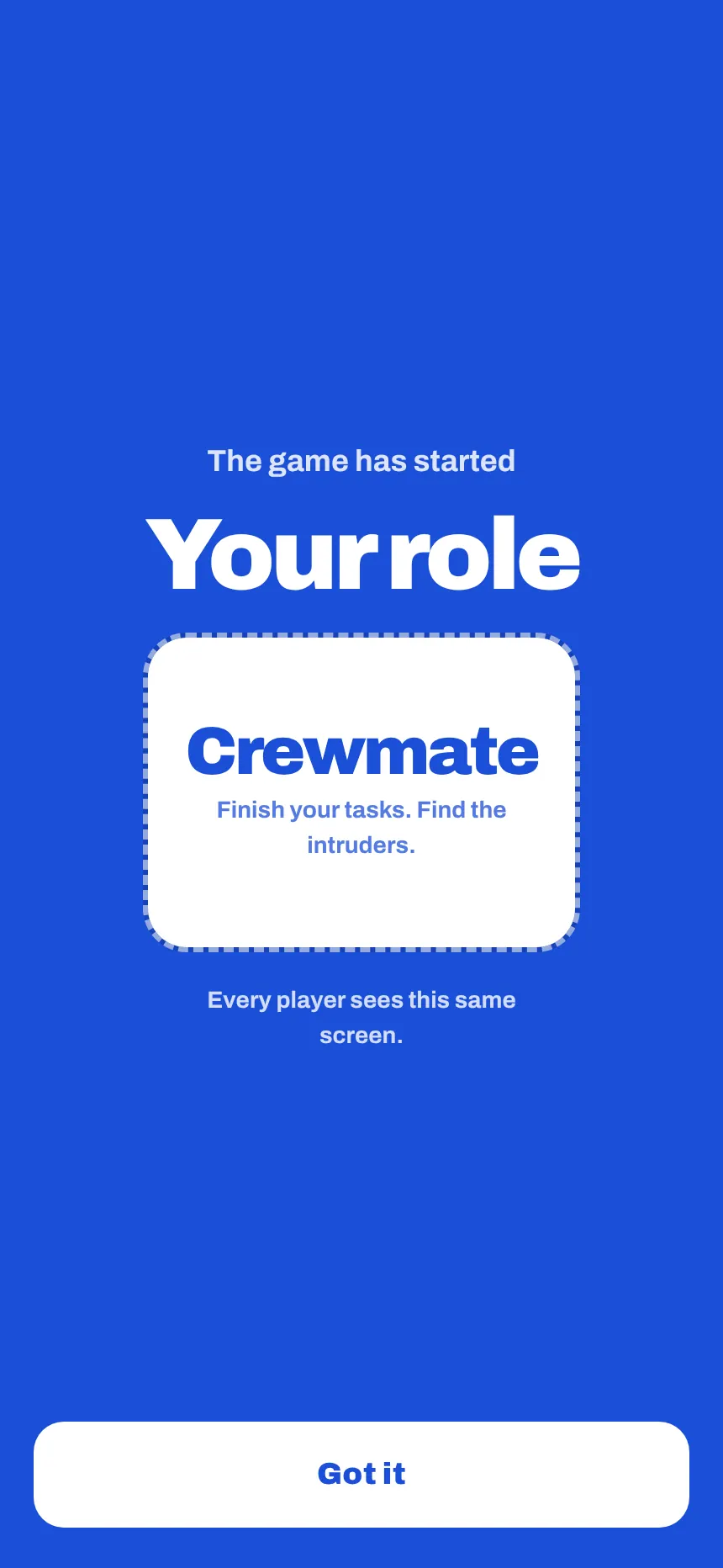
Everyone gets a secret role.
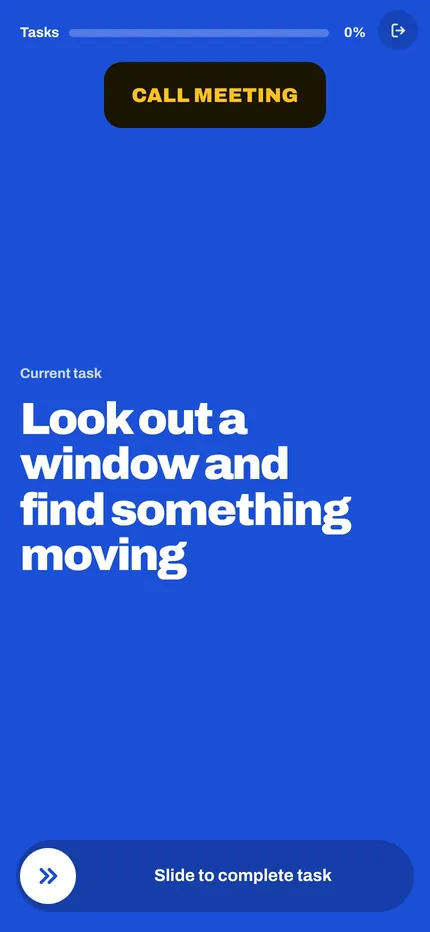
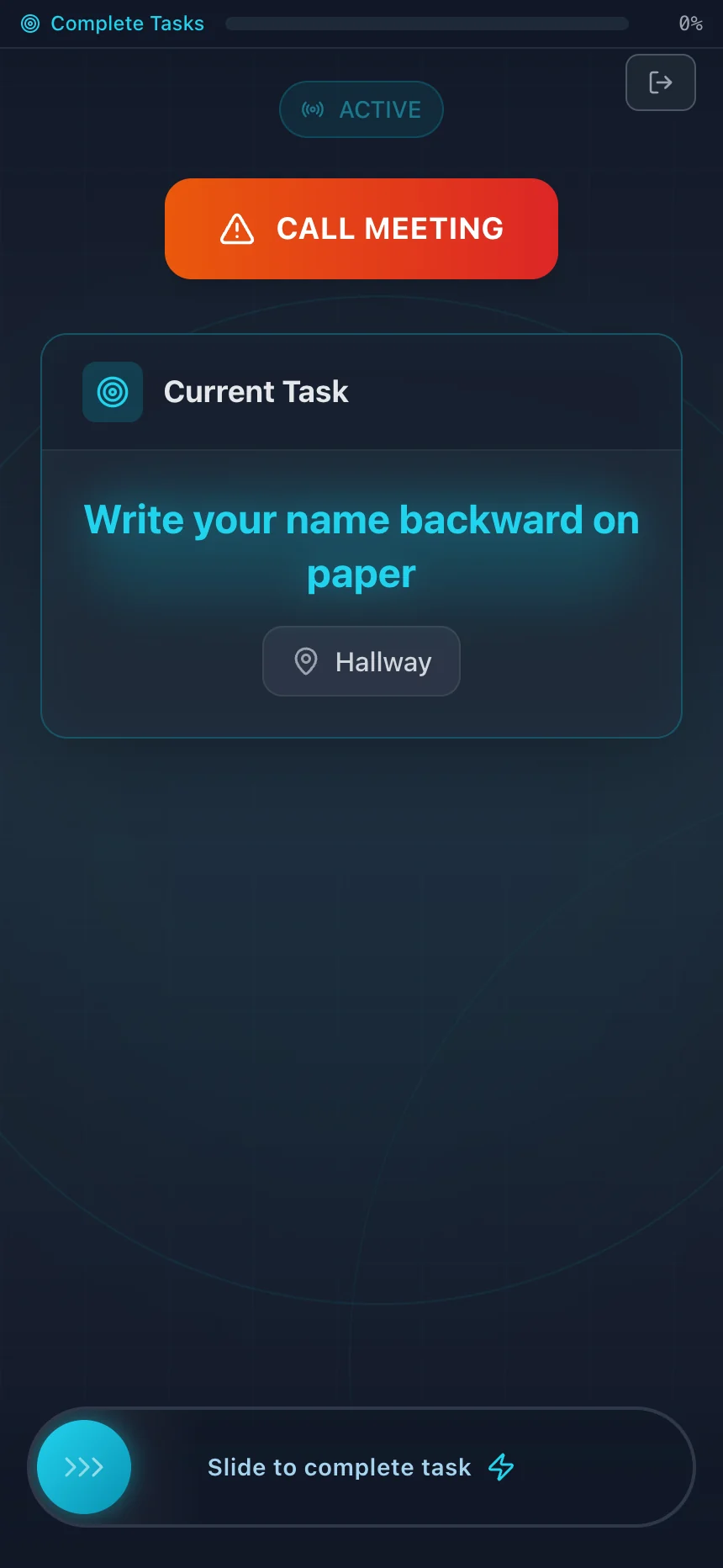
The crew does real tasks around the house.
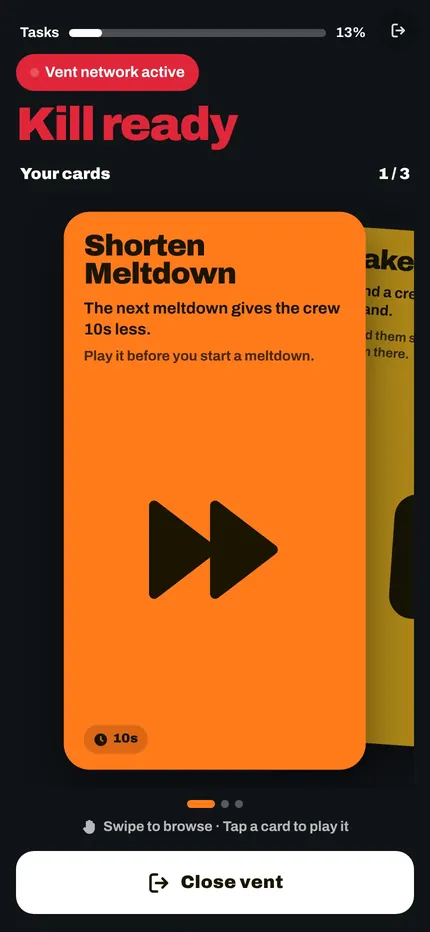
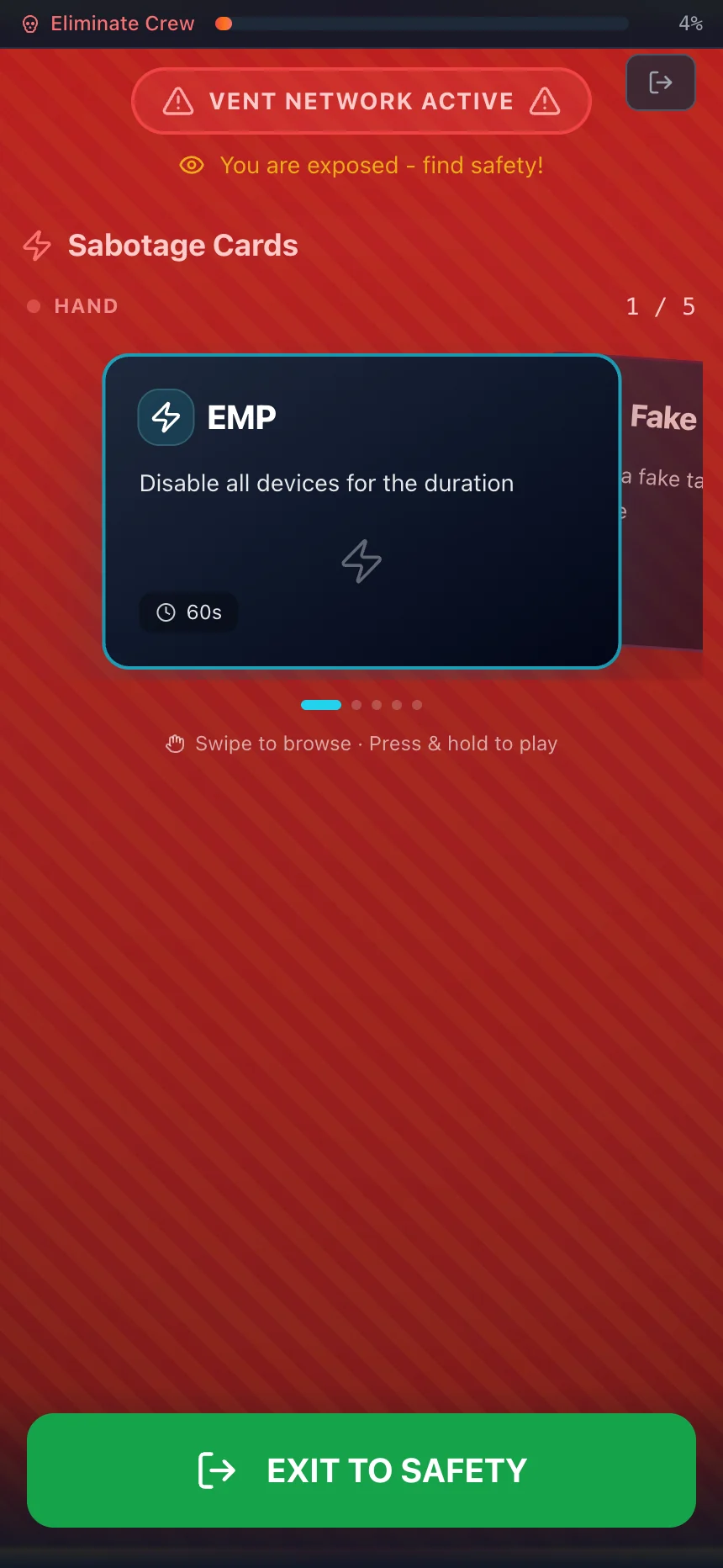
Intruders fake tasks and play sabotage cards.
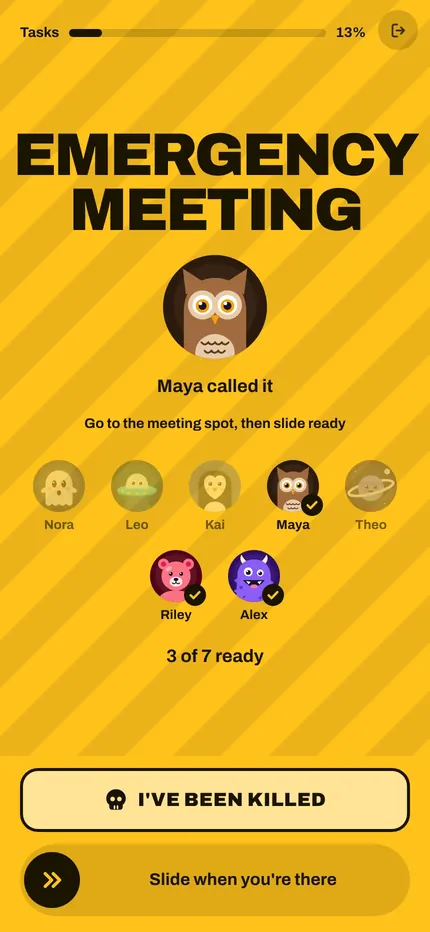
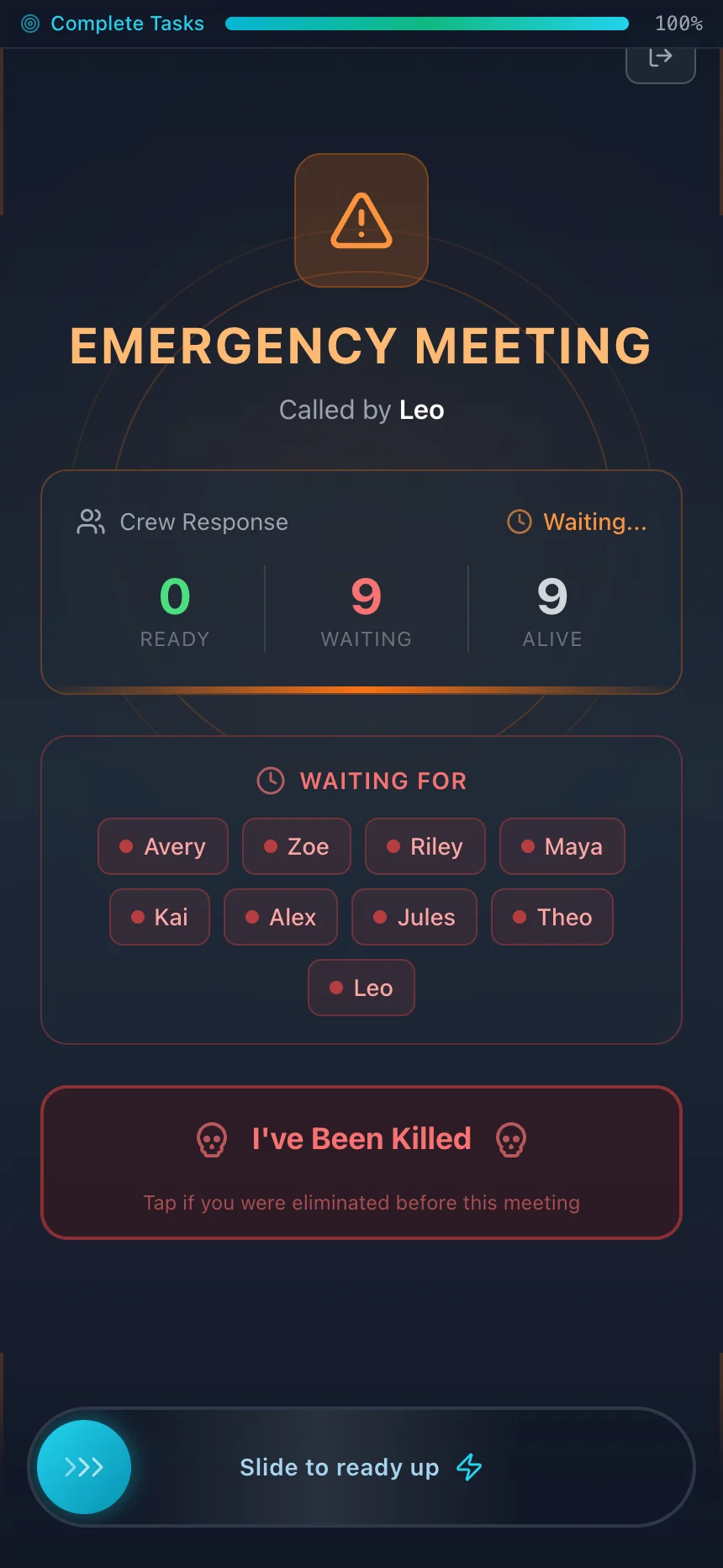
Find a body? Everyone meets up.
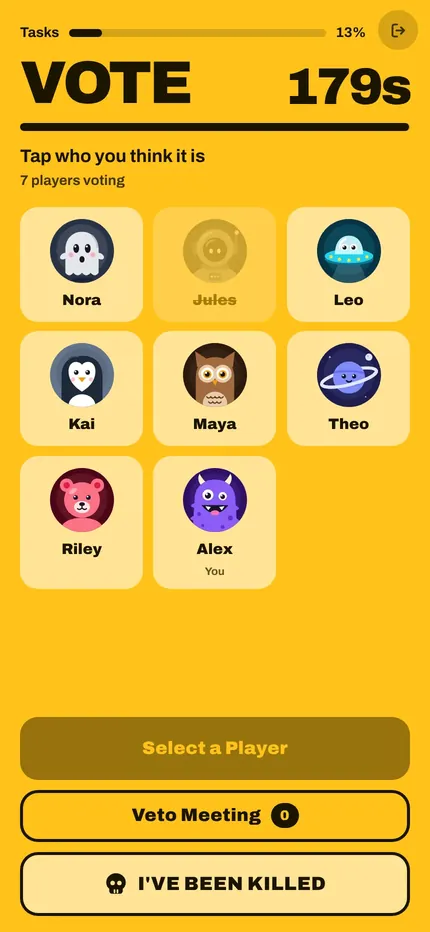
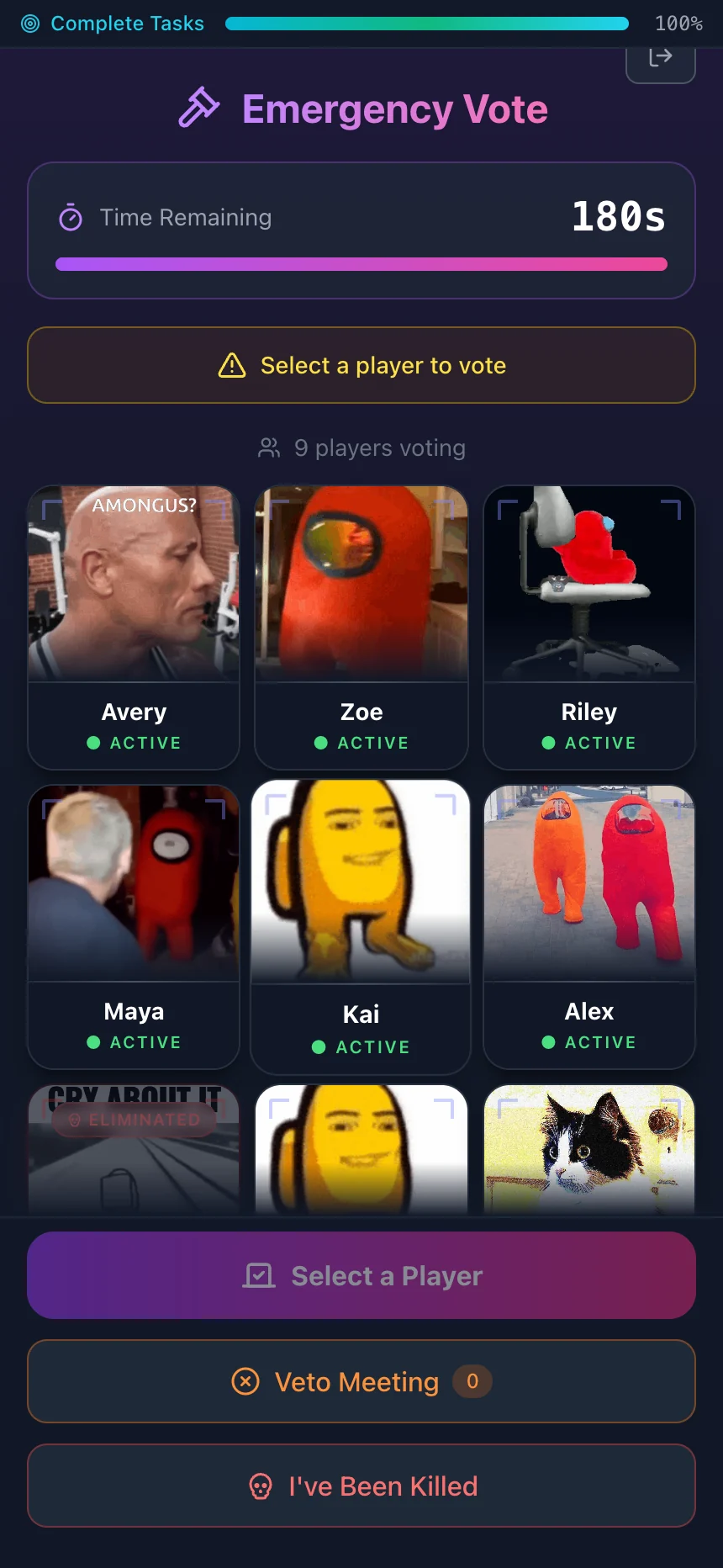
Talk it out, then vote someone out.
Quick start
Your house is the spaceship. Phones run the game.
Everyone opens a phone browser in the same place. Sus Party supplies private roles, task lists, sabotage cards, and votes. You supply the rooms and the conversation. No account, download, or dedicated game board is required. Each device needs internet.
Make your map
Use the living room, dining area, and other shared spaces. Choose one place to meet and keep private rooms out of play.
Pick a task pack
Open the generator, select your rooms, and review the tasks. Change any item that does not fit your space.
Take it into Sus Party
Select “Use this pack.” Sus Party creates your room with the tasks already loaded.
Share the code and deal the roles
Friends join with the four-letter code. Explain the meeting point and round rules, then start the game.
Try the crew tutorial before your first round. A phone-only game works. A larger screen can also join as the optional Reactor.
What the app handles
What happens on your phone
Roles and tasks
Your role stays on your own screen. Crew members see a task and its location, do it in the room, then slide to complete it.
Meetings and votes
A living player calls a meeting. Everyone gathers to compare stories, then votes on their phone. The app displays live vote totals.
Sabotage and the reveal
Intruders use cards to disrupt the crew. At the task goal, the app reveals living intruders. The crew still has to vote them out.
The rules
How to play Among Us in real life
- Crew: most players. Walk to each task on your phone, do it in the room, and slide to finish it.
- Intruders: one or more secret players. They fake tasks, use sabotage cards, and eliminate crew members when nobody is watching.
- Meetings: a crew member calls one from their phone. Everyone gathers at the meeting point, shares what they saw, and votes.
- Winning: the crew wins by finishing tasks and voting out every intruder. The intruders win once they match the crew in number.
A first round takes 10 to 20 minutes. Read the full rules and a sample round, or deal paper roles with the Among Us role generator.
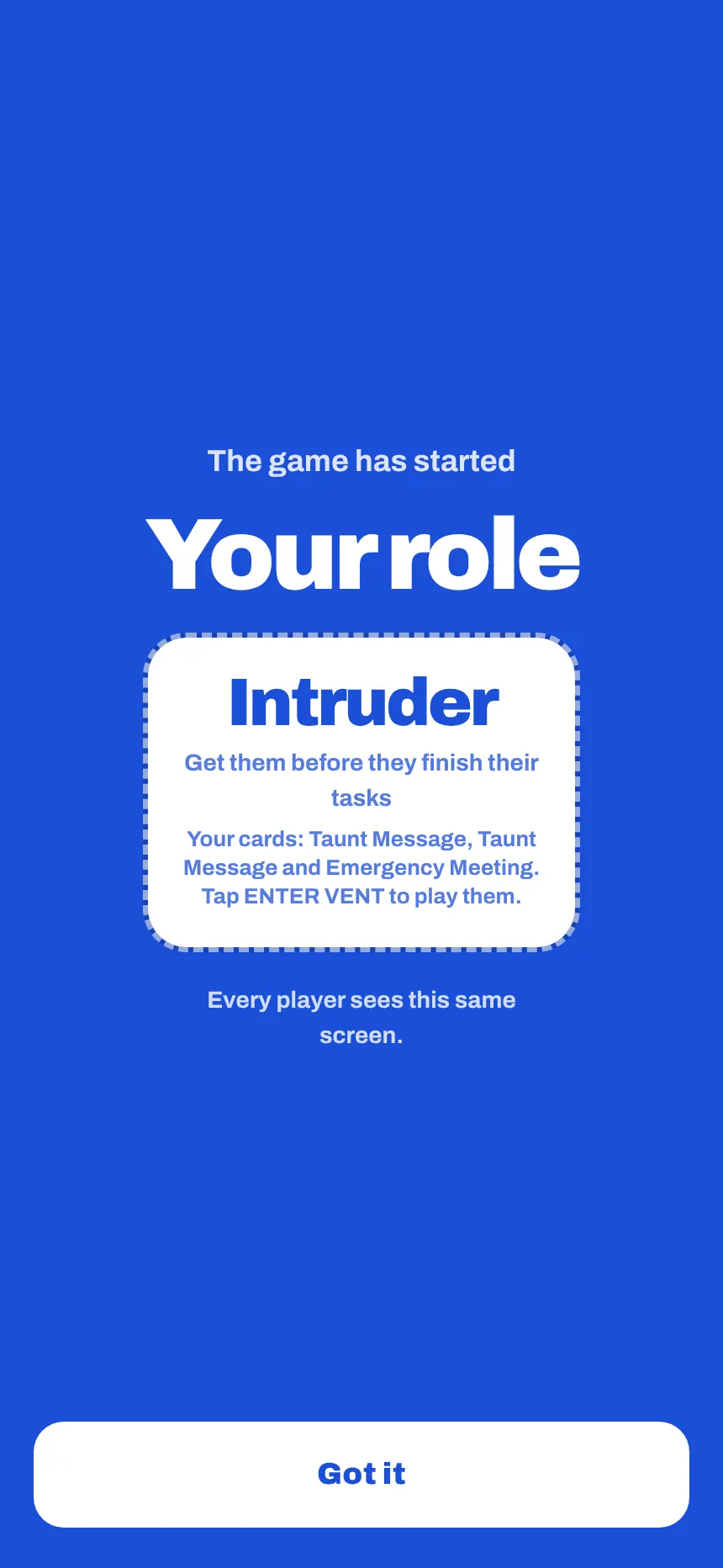
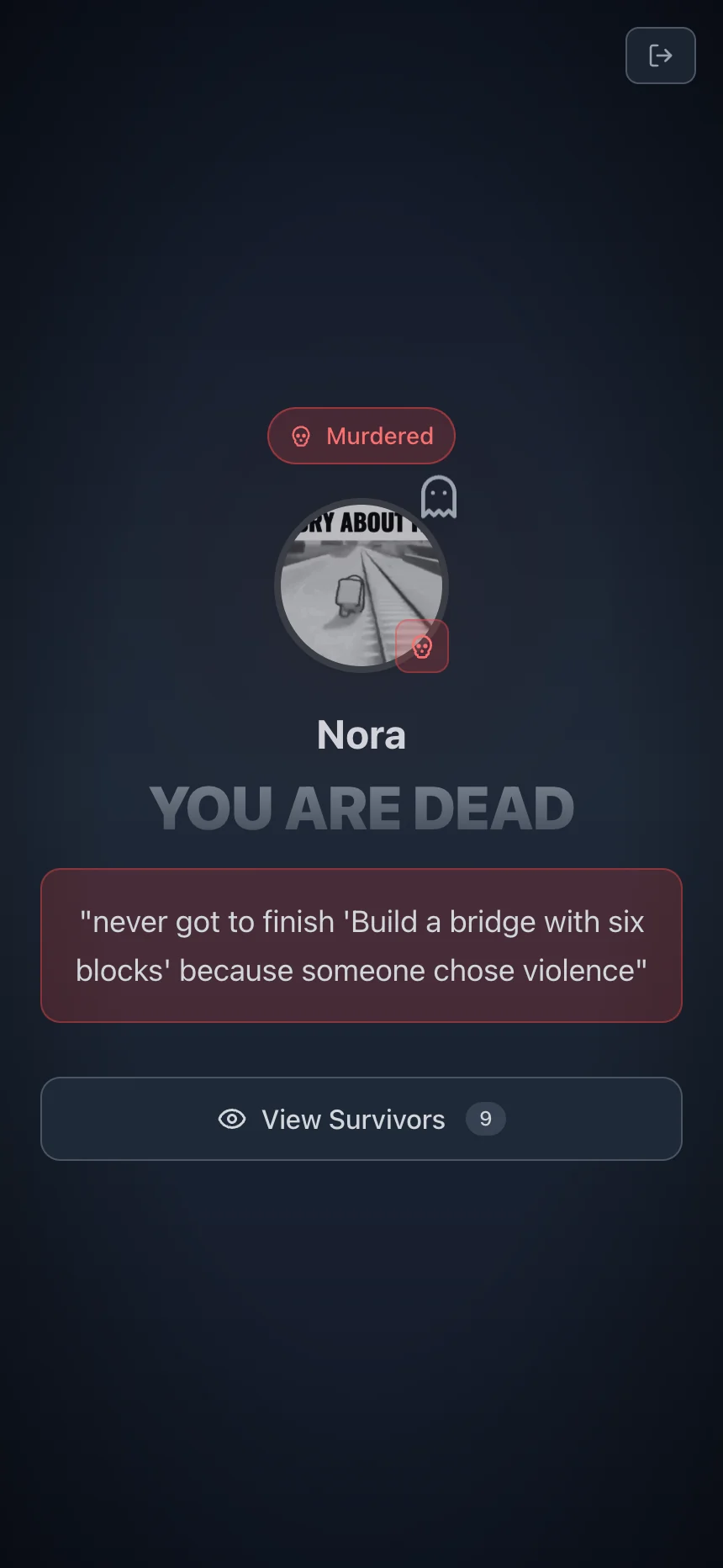
Real screens from a test game with made-up players. Tap one to see it full size.
See the task pack before you invite anyone
A sample list is ready in the generator. Change the rooms and player count, review the tasks, then carry the pack into a new game.
Free browser game · No account or install · Everyone plays in the same place
Classroom guide
Set up Among Us IRL in a classroom
Turn the supply table, board, and desks into task stations. The school preset supplies a starting list; the host chooses which tasks fit the group. Confirm permission to use phones and the space before the round.
- Set tasks at the supply table, board, or desks.
- Prepare shared materials such as markers, index cards, and task slips.
- Keep play inside approved rooms and use a step-free route.
For example, count markers in the classroom supply cup. Browse classroom task examples or build an eight-player classroom task list.
Vacation-house guide
Set up a vacation-house game
The shared living room becomes one location, the dining table another. Use the vacation-house preset to build a task list around the space you actually have. Put out cards, coasters, and paper before the round so guests know what belongs to the game.
- Keep private rooms and host-excluded areas outside the play boundary.
- Use visible shared items, then return each item to its place.
- Choose nearby locations for a short, step-free route.
For example, count the cushions on the shared living-room sofa. See vacation-house task examples or build an eight-player vacation-rental task list.
Other venues
Choose a task preset for your space
Use a preset as a draft. Remove any task that does not fit your actual room or access rules.
House or apartment
Use shared rooms such as a living room, dining area, and approved hallway.
Generate house tasks → · Apartment tasks →Dorm or office
Choose common rooms and exclude private rooms, work areas, and restricted spaces.
Generate dorm tasks → · Office tasks →Need a different layout? Generate tasks for another venue.
Big groups
Play with 20 or more people
One Sus Party room can hold a whole youth group, class, or party. A few things keep a big game moving:
- Open susparty.com/play on a laptop or desktop and create the room there. It becomes the Reactor and shows the room code to everyone.
- Players type susparty.com on their phones and enter the code. The first phone to join is the host and starts the game.
- Use more intruders as the group grows, and plan more tasks than players so nobody stands around.
- Pick a meeting point with room for everyone, and spread tasks across several areas.
Running it for a youth group, library, or school? See the youth group and classroom guide.
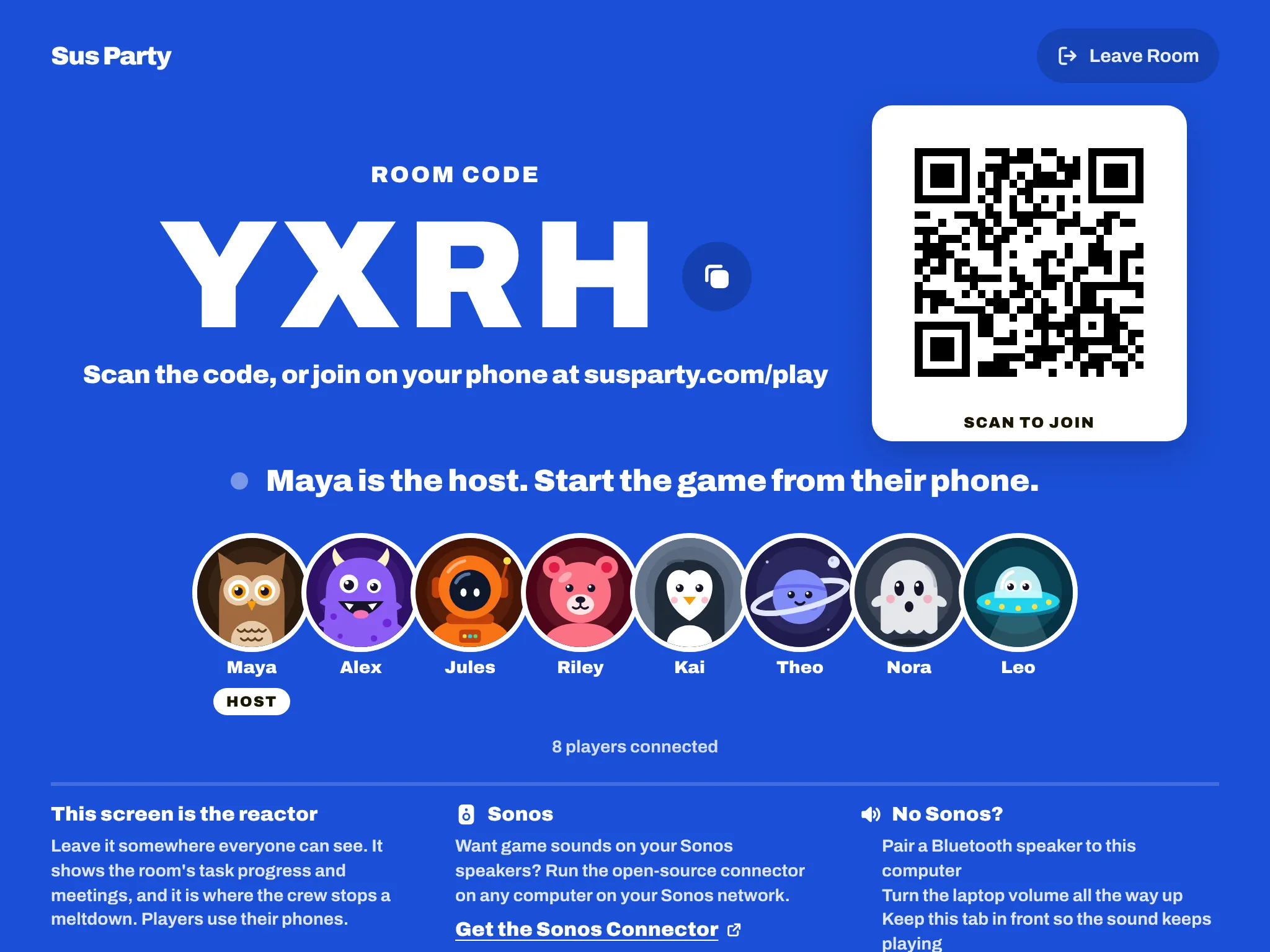
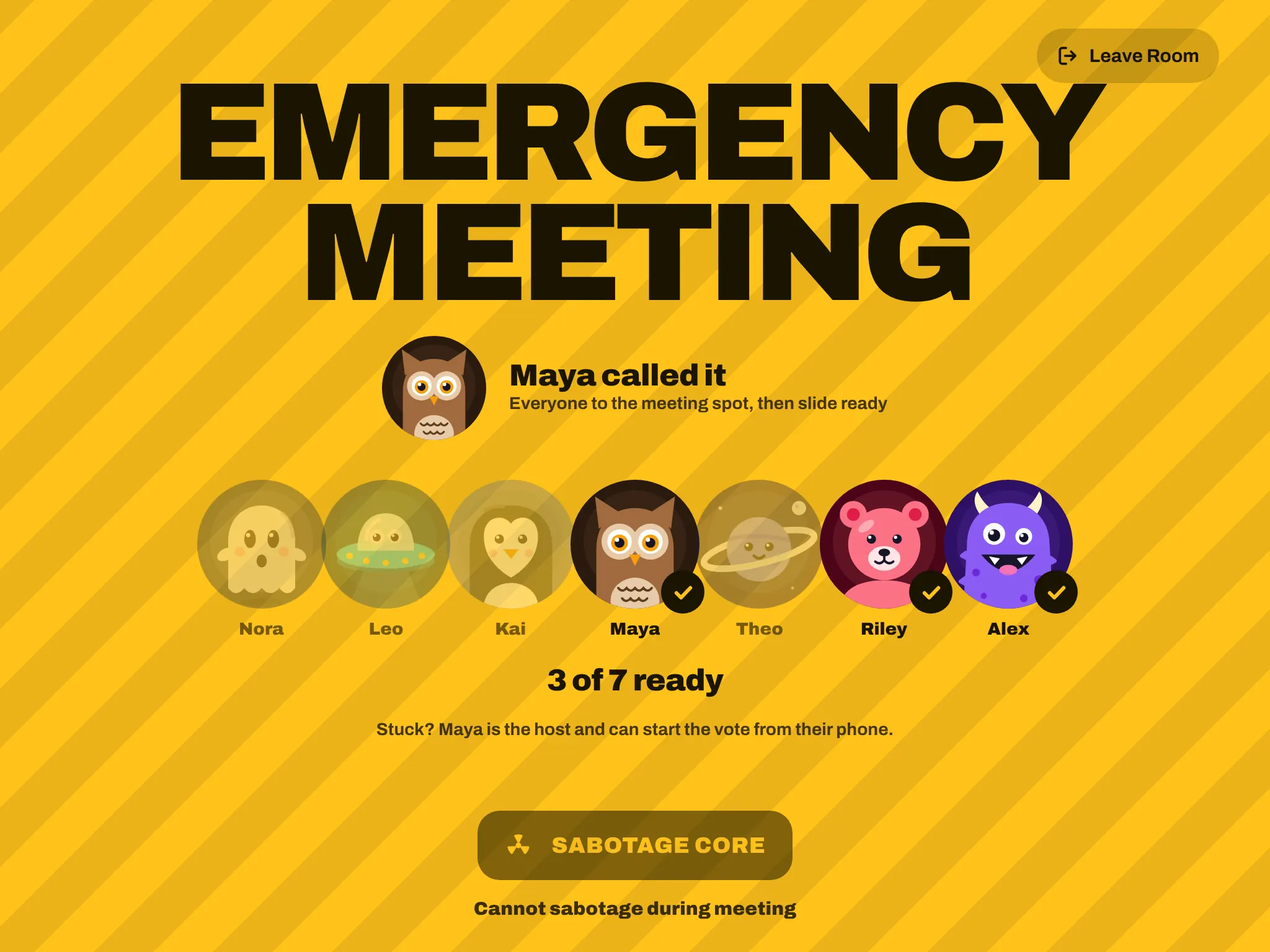
Real screens from a test game with made-up players. Tap one to see it full size.
FAQ
Among Us IRL questions
What is Among Us IRL?
It is an Among Us-inspired game in a real space. Your house becomes the map: crew members complete physical tasks, intruders try to stay hidden, and the group meets to discuss and vote. Sus Party runs the roles, task lists, and votes in phone browsers.
How many players do we need?
Anywhere from 3 to 20+. The game requires at least two crew members per intruder, so one intruder needs at least three players. For a first game, four to six players with one intruder is an easy start. The task generator prepares groups of three to thirty.
Is Sus Party free? Do we need to download an app?
It is free, with no ads, account, or download. Everyone opens susparty.com in a phone browser and joins with the room code.
How do you play Among Us in real life?
Most players are crew and complete real tasks around the house. One or more secret intruders fake tasks and eliminate crew members in private. Anyone can call a meeting to argue and vote someone out. The crew wins by finishing tasks and voting out every intruder; the intruders win by outnumbering the crew.
Can we play without an app?
Yes. Use paper roles, a task list, a timer, and a clear vote method. Sus Party uses each phone to track roles, tasks, meetings, and votes.
Is Sus Party an official Among Us product?
No. Sus Party is an independent fan game. It is not affiliated with or endorsed by Innersloth.